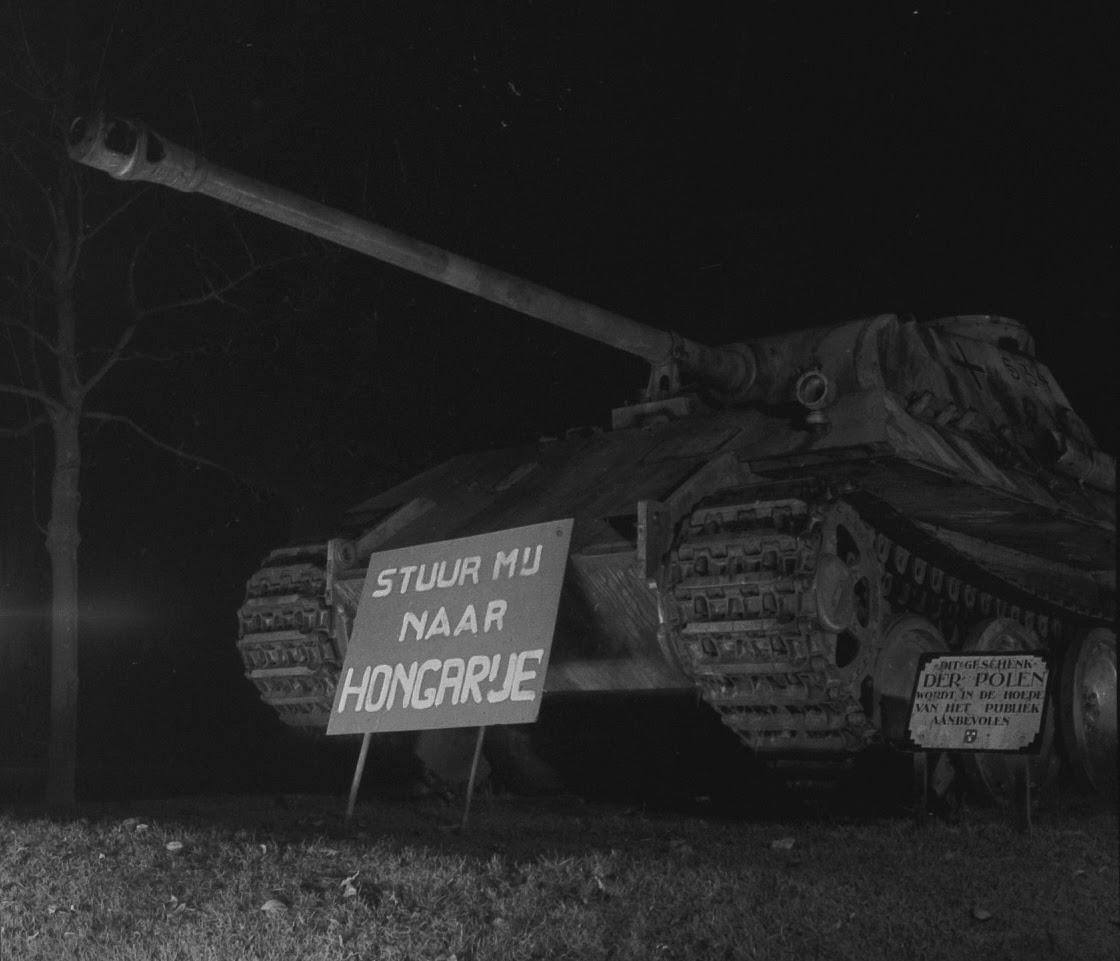
Twee zeldzame foto’s gevonden in de nalatenschap van Hans Chabot, afkomstig uit een sheet met contactafdrukken uit 1956. Het zijn twee zwart-witbeelden van de tank op de oostelijke hoek van het Wilhelminapark, bij de kruising van de Generaal Maczekstraat en de Paul Windhausenweg. Opvallend detail: vóór de tank staat een bord met de tekst: ‘Stuur mij naar Hongarije’. De foto’s, die ik vooralsnog in geen enkele krant heb teruggevonden, moeten zijn gemaakt in oktober of november 1956. Tijdens een tragisch hoofdstuk uit de Hongaarse geschiedenis: de ‘Opstand voor de Vrijheid’, die bloedig werd neergeslagen door de Sovjet-Unie, een gebeurtenis die… >> Lees verder . . . >>
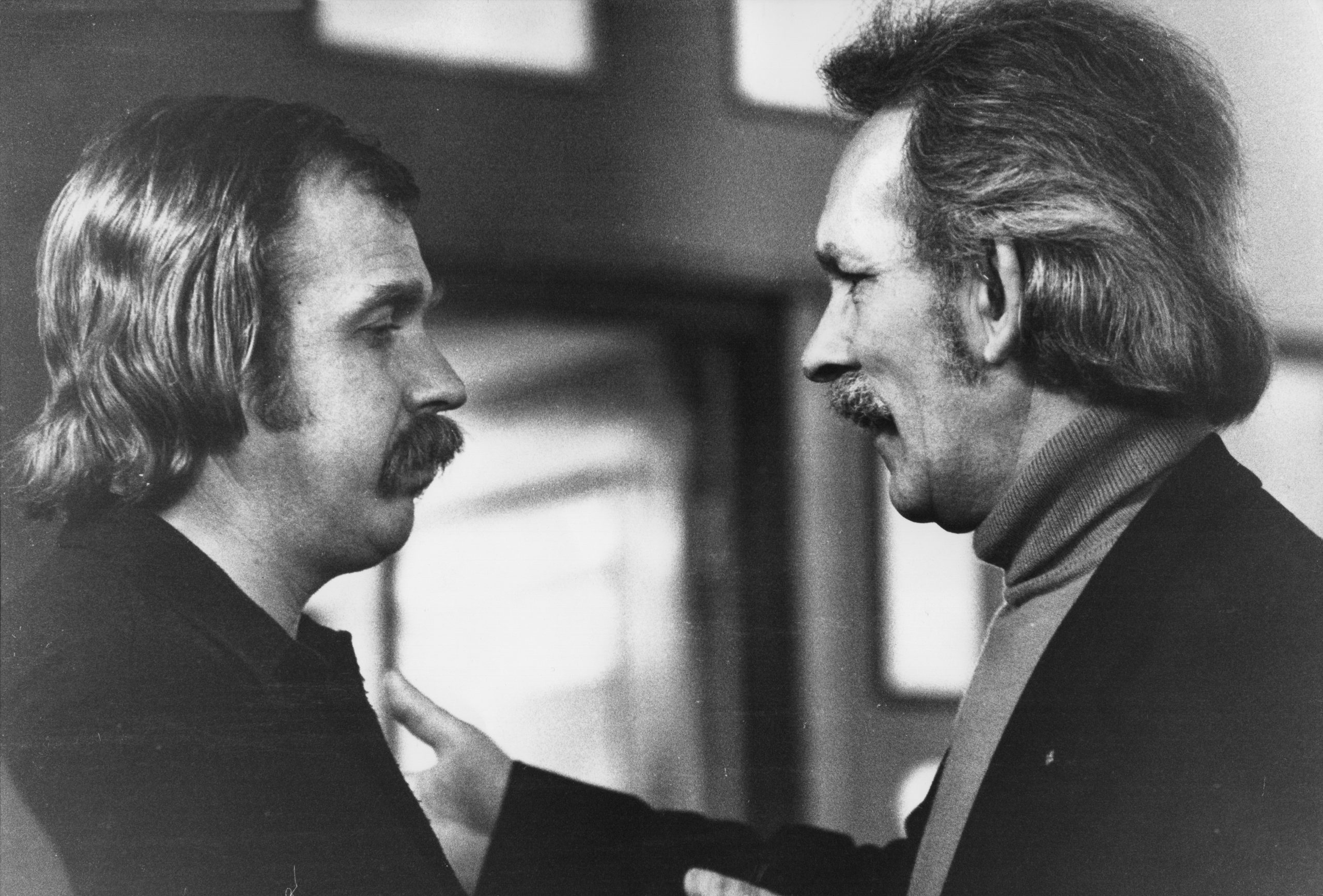
Ben Speekenbrink
Prachtig cadeautje gekregen van een van mijn lezers, die liever anoniem blijft. Zijn vader was een vriend en leeftijdgenoot van fotograaf Ben Speekenbrink. Het is een Delfts Blauw asbakje dat Ben ergens tegen het eind van de jaren zestig als promotiemateriaal heeft laten bakken. Bij Rivaltini in Gouda, een plateelfabriekje dat maar kort heeft bestaan. Ik weet niet wat de oplage was, maar op de achterkant van het met de hand nogal amateuristisch gepenseelde juweel staat ‘Rivaltini No. 4’. Op de voorkant op de vlakken tussen de vier uitsparingen op de hoeken voor de peuken achtereenvolgens ‘foto Ben Speekenbrink’, ‘tel.… >> Lees verder . . . >>
De Terminus en de Bazooka Munt
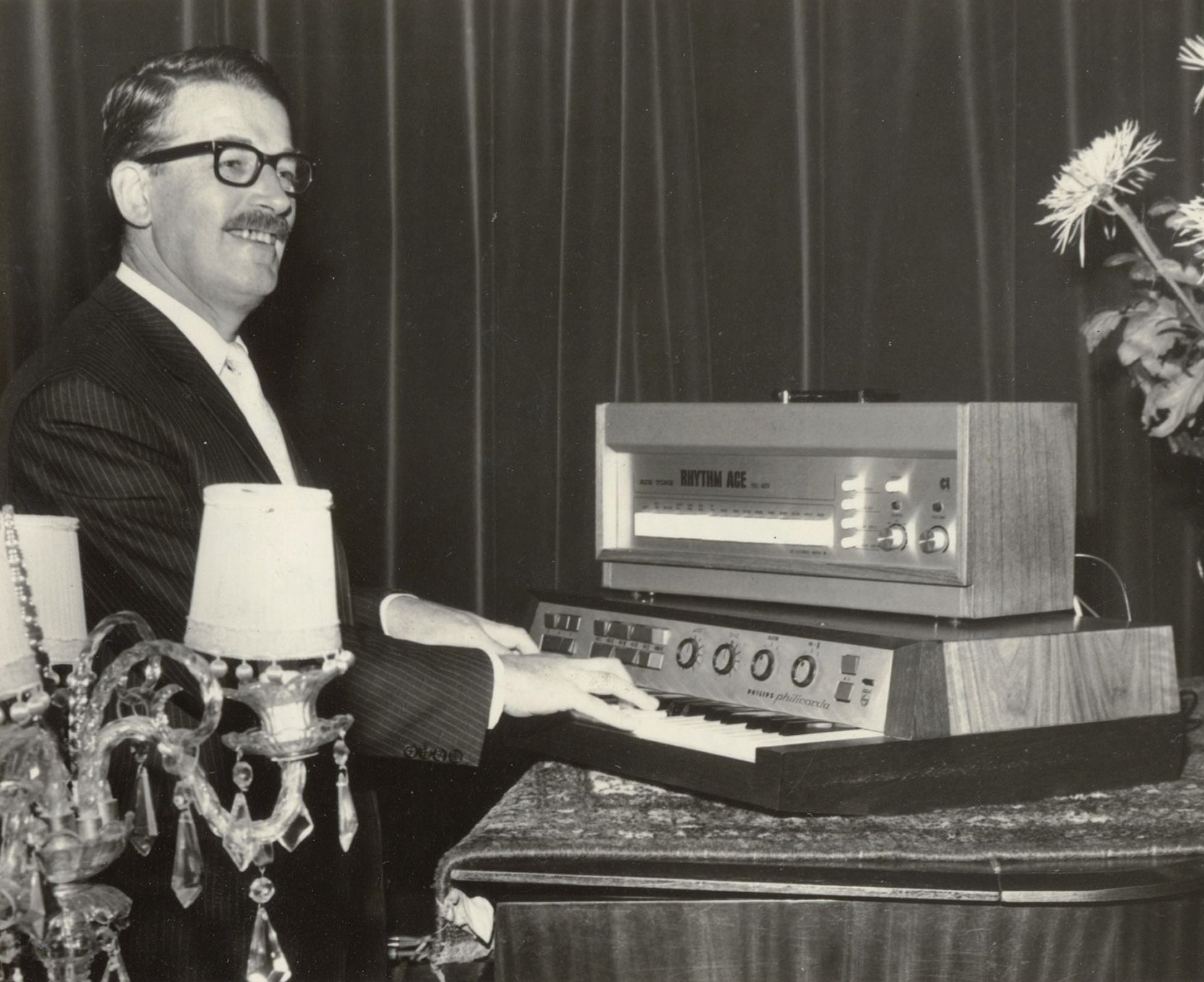
In de festival en evenementen stad Breda is er tegenwoordig altijd wel wat overlast van zatlappen, slikkers en snuivers. Of van mensen die zich redelijk redelijk gedragen, maar die misschien iets te veel kabaal maken. Nou valt het volgens mij allemaal nogal mee als je het aantal incidenten afzet tegen alle totalen. Maar goed, wat fout gaat wordt zoals te doen gebruikelijk breed uitgemeten. Breder dan vroeger, denkende aan wijlen mijn collega Jan Reijnders, die zijn journalistieke carrière bij het Nieuwsblad van het Zuiden begon, later naar het Brabants Nieuwsblad in Roosendaal verkaste en na de fusie met Dagblad De… >> Lees verder . . . >>
Memory dump
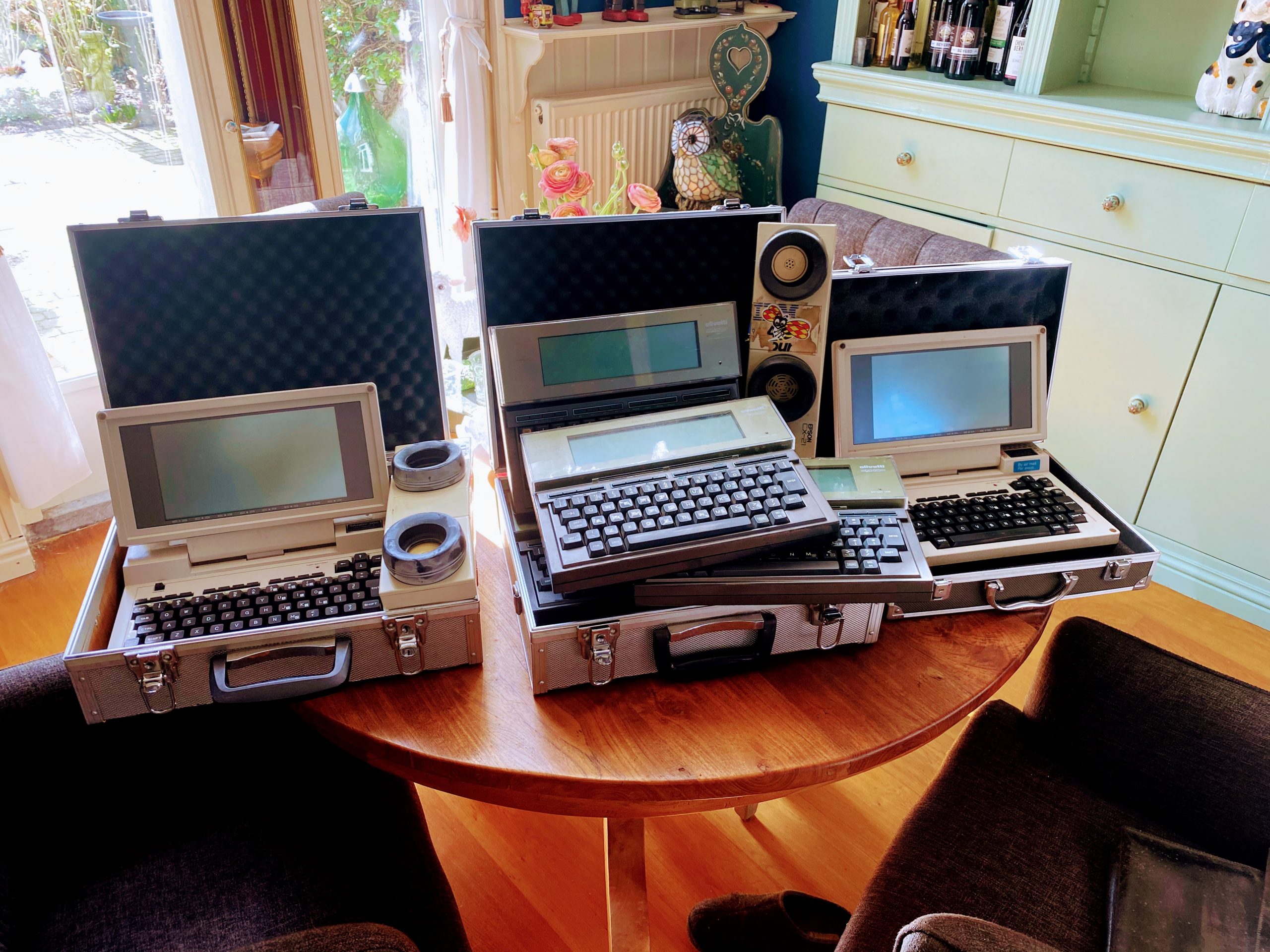
Zaterdag moesten we als Automaatje op en neer naar Eindhoven, dus maar even het een met het ander gecombineerd. Met een kort bezoekje aan het Home Computer Museum in Helmond, waar we de aanwezige nerds met een paar boodschappentassen vol Olivetti’s, Tandy’s, modems en handleidingen aangenaam verrast hebben. We hadden helaas geen tijd om het museum in de duiken, want we moesten weer terug naar De Gekste om onze bejaarde passagier na de brunch op te pikken en terug te brengen naar de Parel van het Zuiden. Tussendoor moest ik nog even de ANWB bellen omdat er net na de… >> Lees verder . . . >>
Achter de Lange Stallen
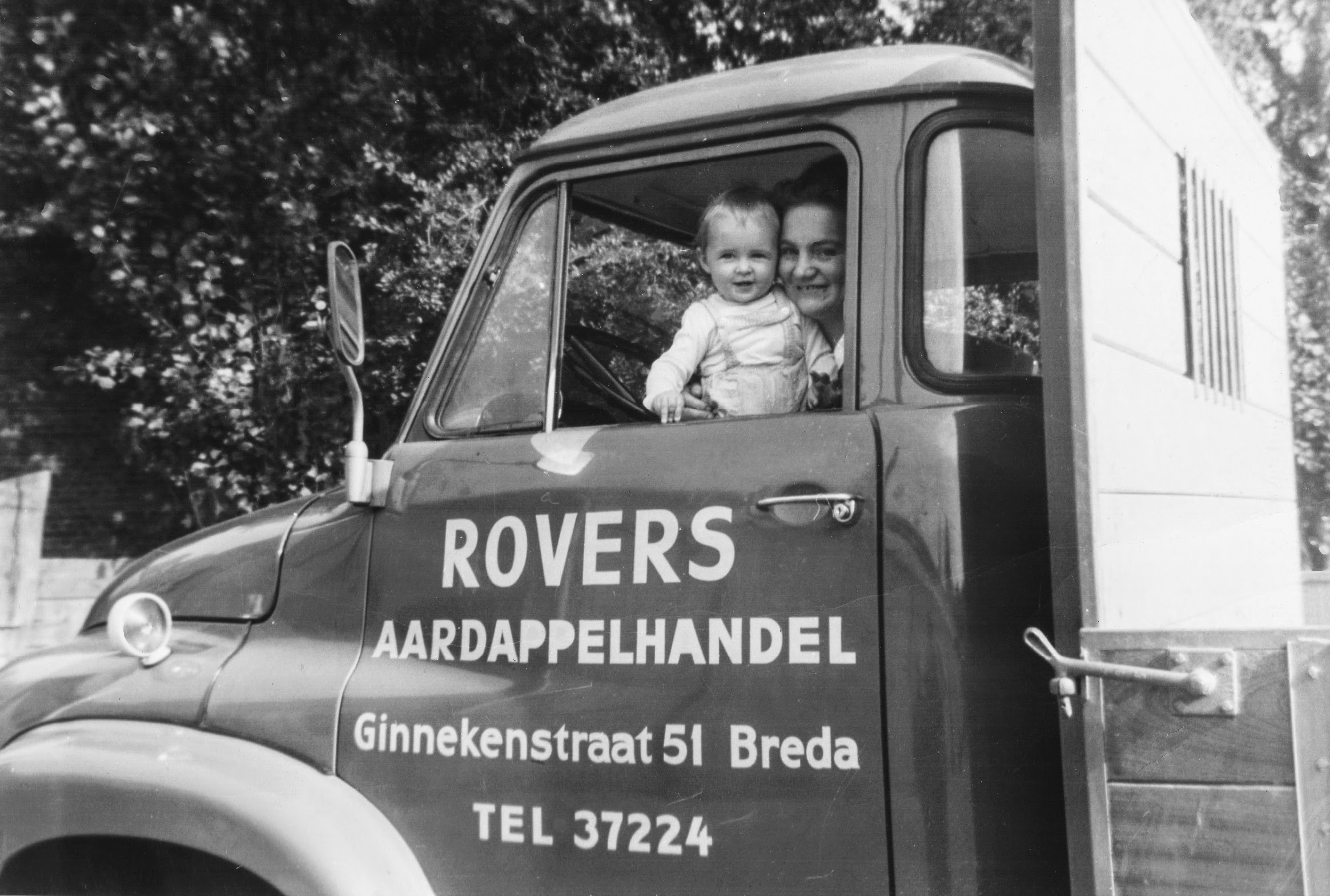
Om de zoveel tijd gaat het in de Bredase politiek, en in de stad, weer over ‘Mols’. Mols Parking, of Molsparking, zowel in de krant als in het Stadsarchief en in de notulen van de gemeenteraad worden door de jaren heen verschillende benamingen en spellingen gehanteerd. Het gaat om de driehoekige steenpuist, ingesloten door de Akkerstraat, Achter de Lange Stallen, Stallingstraat en Ginnekenstraat. Al 53 jaar hebben de ongeveer 380 parkeerplaatsen miljoenen guldens en euro’s opgeleverd voor de respectievelijke eigenaren – op Google Maps kunt U ze zelf natellen. Die eigenaren hadden nooit haast om de boel te verkopen, of… >> Lees verder . . . >>
The Making of
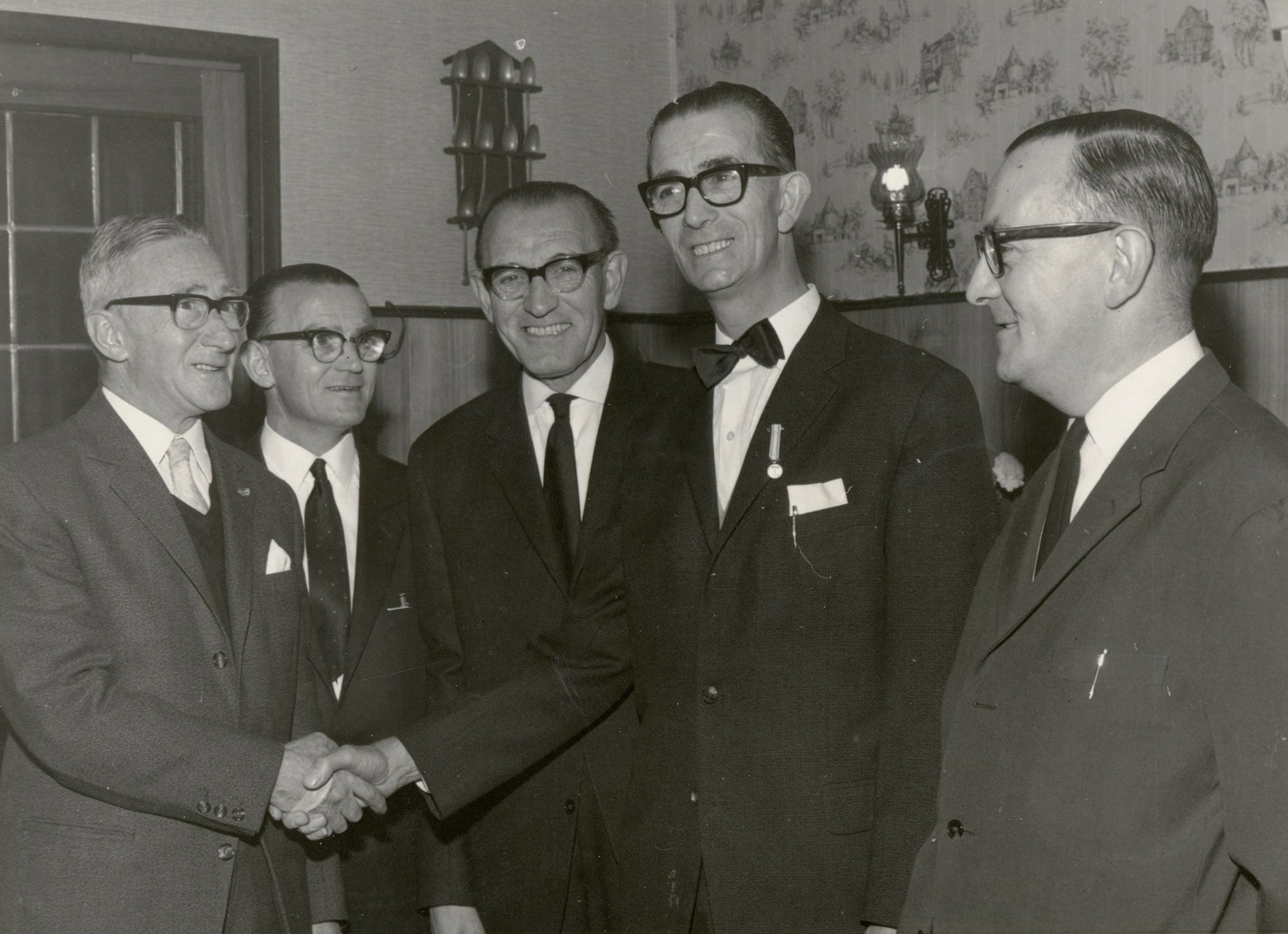
De vijf broers en obers Van IJll
Je vraagt je af hoeveel pinten deze vijf gebroeders ober getapt en geserveerd hebben, hoeveel koffie zonder morsen, hoe vaak ze een aansteker onder een verse peuk of bolknak gehouden hebben, hoeveel asbakken ze geleegd hebben, en hoeveel oude Bredanaars ze misschien nog kennen. Hans Chabot kiekte ze in 1967 toen Cor jubileerde bij Hotel Verbaan op de hoek Teteringsedijk, Teteringenstraat en Loopschansstraat. Ik weet niet of Cor de oudste was en daarom als eerste jubileerde, want ook zijn vier broers waren geboren en getogen obers. Wat we wel kunnen zien: Cor, met een verse medaille op het revers, was… >> Lees verder . . . >>
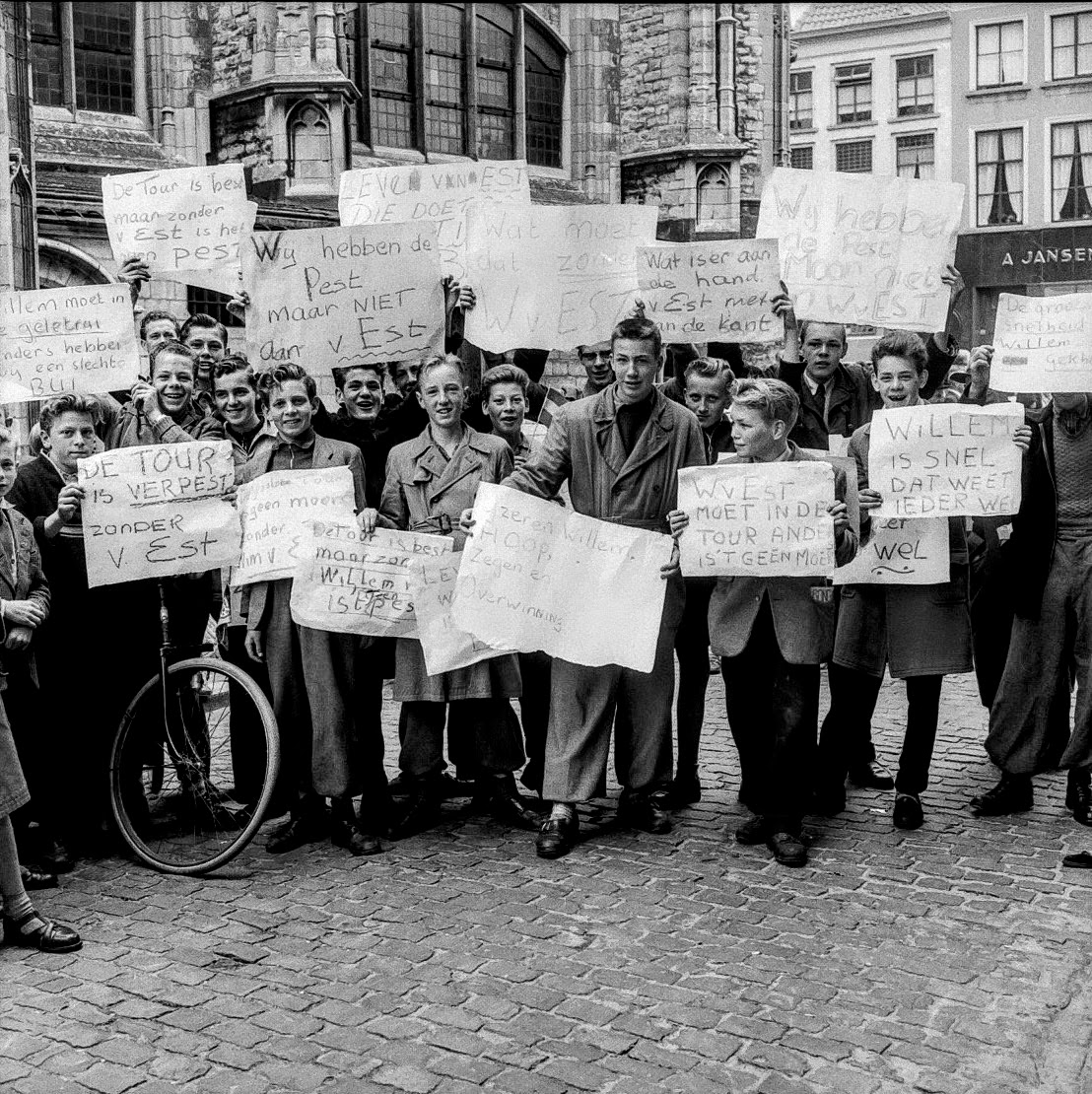
Van Est moet naar de Tour!
Oproer op het Kerkplein in Breda, voorjaar 1956. Cees Pellenaars had besloten om Wim van Est niet mee te nemen naar de Tour de France van dat jaar, dus in Willebrord waren de rapen gaar. ‘Willem moet in de Gele Trui, anders hebben wij een Slechte Bui’. ‘De Tour is Best, maar zonder Van Est is het een Pest’. ‘Wat moet dat zonder Wim van Est?’ ‘Wat is er aan de hand, Van Est moet aan de Kant’. ‘Wij hebben de Pest, maar niet Wim van Est’. ‘Willem is Snel, dat weet iedereen Wel’. ‘Wim van Est moet in de… >> Lees verder . . . >>
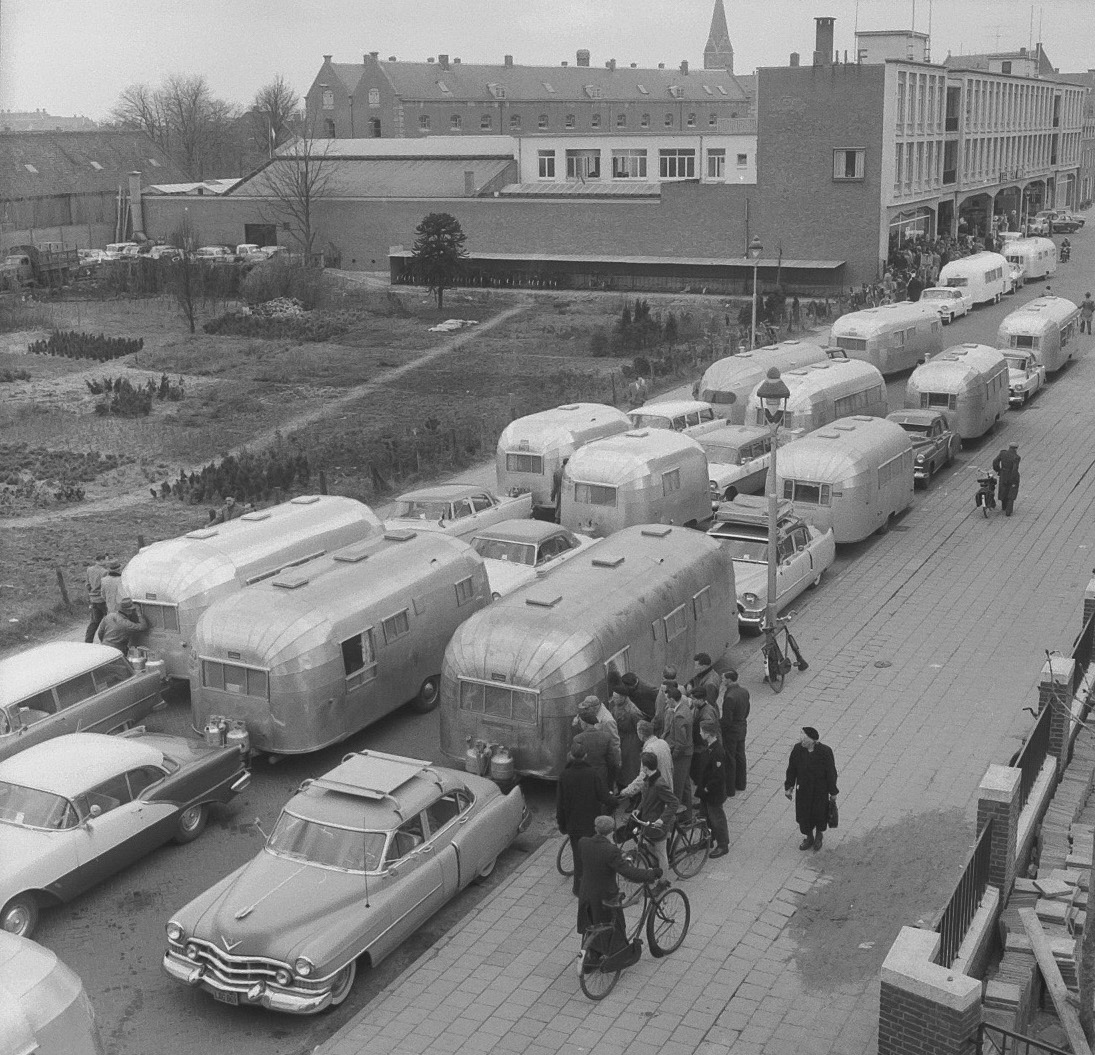
Wally Byam in Breda
Zo’n trip zou ik nog weleens mee willen maken, in zo’n dikke fifties Amerikaan, met zo’n fantastische Airstream erachter. Met de Wally Byam Caravan Club. In zo’n blinkende sleurhut, een Cadillac, Chevrolet of Oldsmobile ervoor. In april 1956 stonden er maar liefst 54 van die oogstrelende combinaties drie rijen dik geparkeerd aan de Markendaalseweg en de Meester Dokter (Karel) Frederiksstraat, in 1983 omgedoopt tot Concordiastraat. Na een paar dagen Rotterdam, waar ze allemaal uitgescheept waren, werden ze, op weg naar Zuid-Europa, in de garage van Leendert Vriens feestelijk ontvangen. Hans Chabot maakte er een serie foto’s van, compleet met borrels, draaiorgel,… >> Lees verder . . . >>
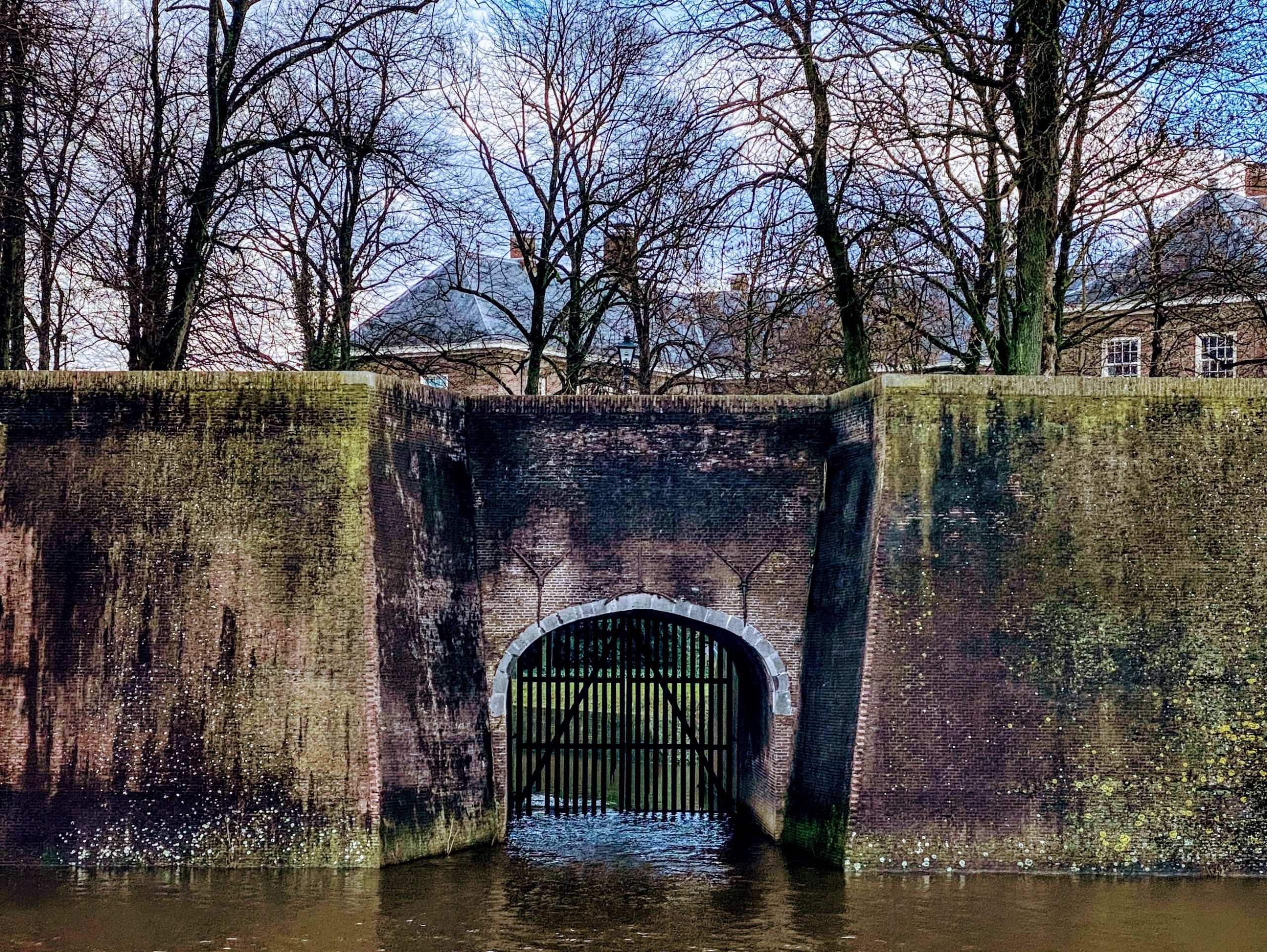
Het Zwarte Spanjaardsgat
Sommige pareltjes in de Parel van het Zuiden mogen wel weer eens opgepoetst worden. Om te beginnen het zwart uitgeslagen Spanjaardsgat. Ik had vanmorgen alleen mijn iPhone bij me, zal volgende keer eens inzoomen met de Canon en de tele, maar ik meende ook zonder die lange leesbril te zien dat er wat voegen uitgelopen zijn. Het is gissen wat er precies de bedoeling is van die groene wanden aan de Haven. Mooi, dat mos en die andere plantjes, maar als die steenbreekvaren ongebreideld zijn gang mag blijven gaan, dan maakt ie zijn naam waar en moet straks onvermijdelijk alles… >> Lees verder . . . >>
Driekoningenoord
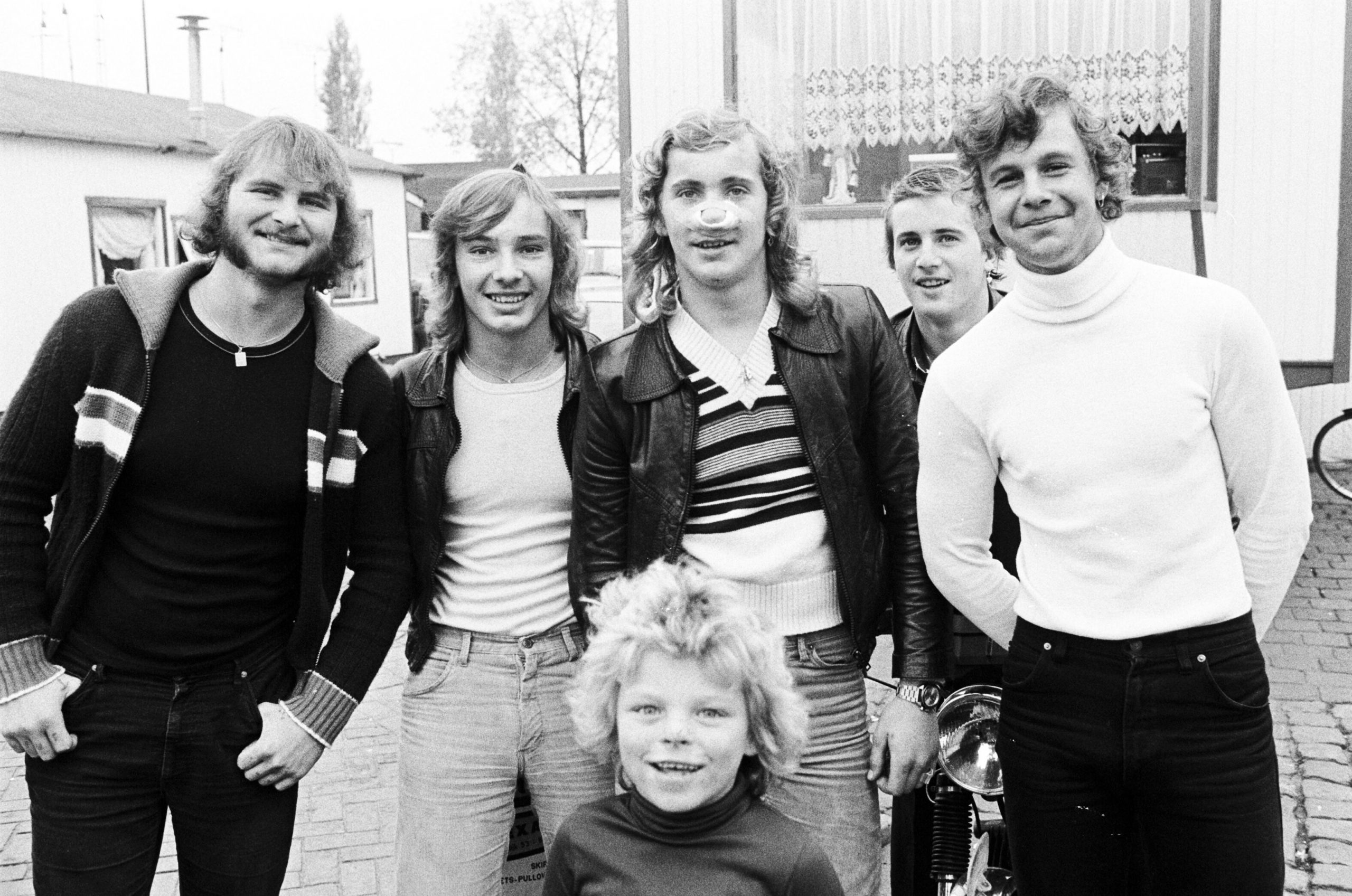
‘Mooie mannen, maar je kan er beter geen ruzie mee krijgen’, dacht ik altijd als ik dit prachtige portret weer eens zag. Johan van Gurp heeft het op vrijdag 20 oktober 1978 op woonwagenkamp Driekoningenoord aan de Terheijdenseweg gemaakt. Ik heb het nooit eerder als onderwerp gebruikt, maar het dook weer op tijdens mijn zoektocht naar meer gegevens en foto’s over het leven van Cupido. Onze zingende clown, geboren, getogen en beschermd op Driekoningenoord. De foto zou helemaal perfect geweest zijn als Cupido de jongste in het midden geweest zou zijn, maar dat is helaas niet zo. Maar natuurlijk moeten… >> Lees verder . . . >>
Cupido
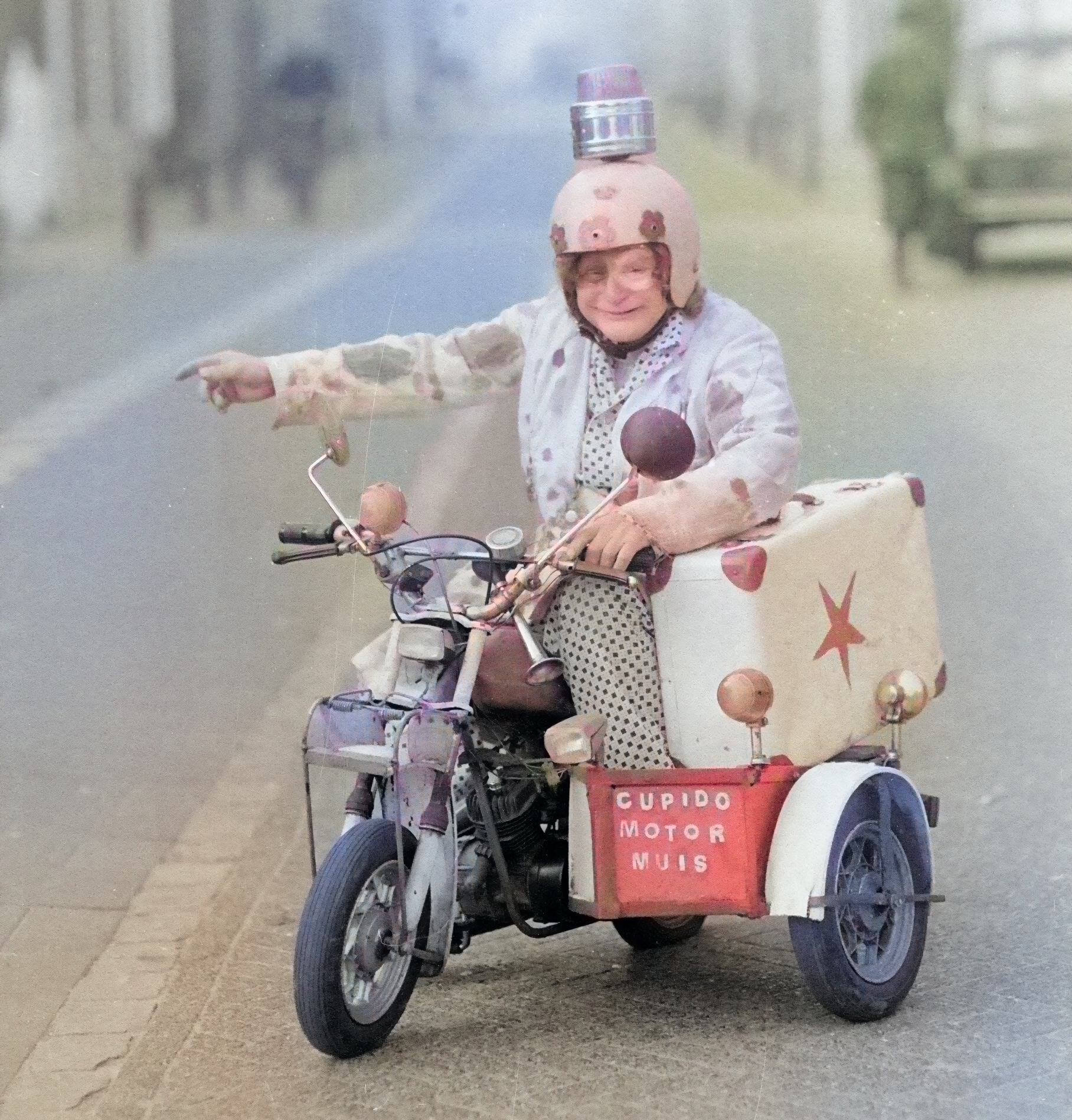
Zit ik in het Tilburgse archief te zoeken naar de achtergronden van een verhaal bij een prachtige foto, kom ik daar eindelijk een goede foto van Cupido tegen. ‘Cupido Motormuis’ staat er op het zijspan van zijn minimotor, met het zwaailicht op zijn helm. Op vrijdag 17 februari 1984 ergens in Tilburg door Martien van Eijndhoven vijf keer gekiekt. Of door een van zijn twee zoons van het gelijknamige Tilburgse persbureau. Verder is over Cupido geen letter in de Tilburgse archieven te vinden dus het blijft gissen hoe en waarom hij daar ruim vier decennia geleden beland is. De eerste… >> Lees verder . . . >>
De Ford V8 van Remaco
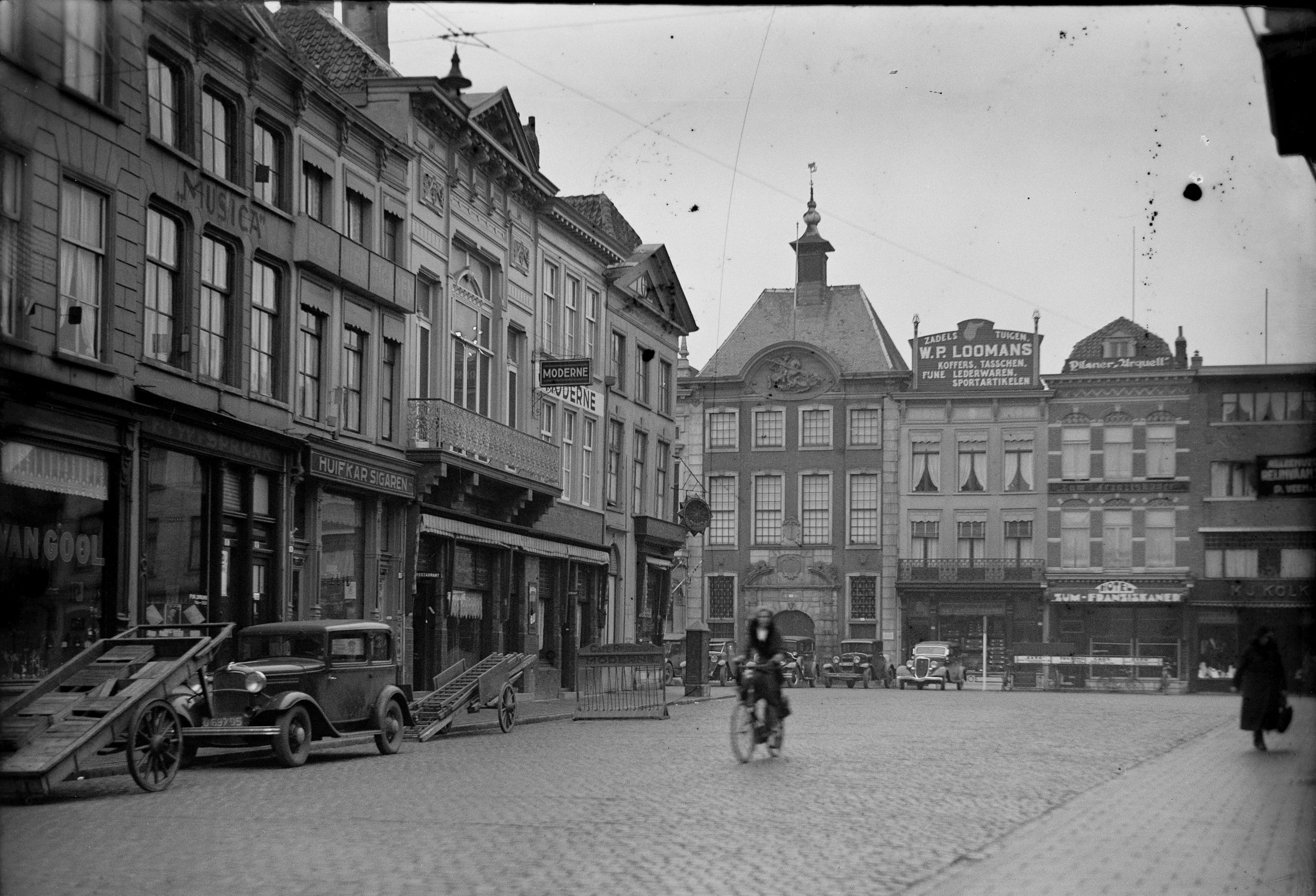
Als ik op een oude foto een oude auto zie, schiet ik in de kentekenmodus. In de archieven waar ik de meeste tijd in doorbreng, Stadsarchief Breda, Het Bossche BHIC, het Regionaal Archief Tilburg, en het West Brabants Archief, is de bijvangst, op zoek naar iets heel anders, vaak een auto met een N-kenteken. Het gaat daarbij om de N-kentekens, die van 1905 tot 1951 in Noord Brabant op naam gezet werden. Ze hoorden dus niet bij een bepaald voertuig, maar bij de naam van de eigenaar. Een en hetzelfde kenteken kan op verschillende auto’s geschroefd hebben gezeten, een systeem… >> Lees verder . . . >>
Breda Onder Water
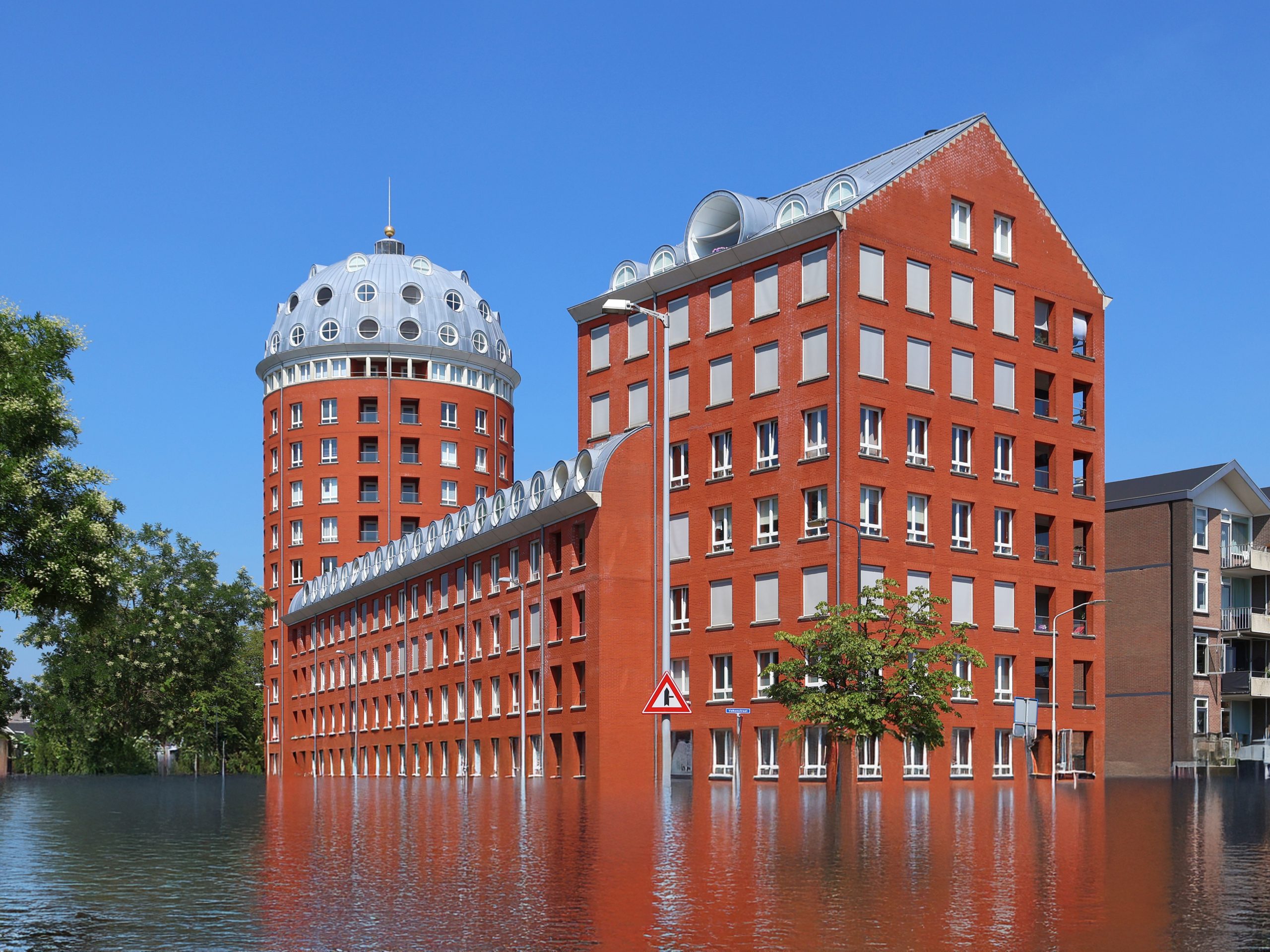
Geïnspireerd door Albert-Jan van Dijk, die een post wijdde aan de expositie van Yves Marchand and Romain Meffre met Ruins of Paris in de kunstbeurs PAN Amsterdam maar eens even in Photoshop gedoken. Generative Fill van Adobe Firefly kun je als plugin in Photoshop aanslingeren. Werd me overigens al maanden iedere dag door Adobe opgedrongen, dus nu hebben ze hun zin. De eerste resultaten zijn veelbelovend, maar nog vrij ruw. Ik heb vijfentwintig willekeurige foto’s van Breda uit Wikimedia Commons, mijn eigen archief en het Stadsarchief gepakt, en ze een voor een onder water gezet. Als ik het net zo… >> Lees verder . . . >>
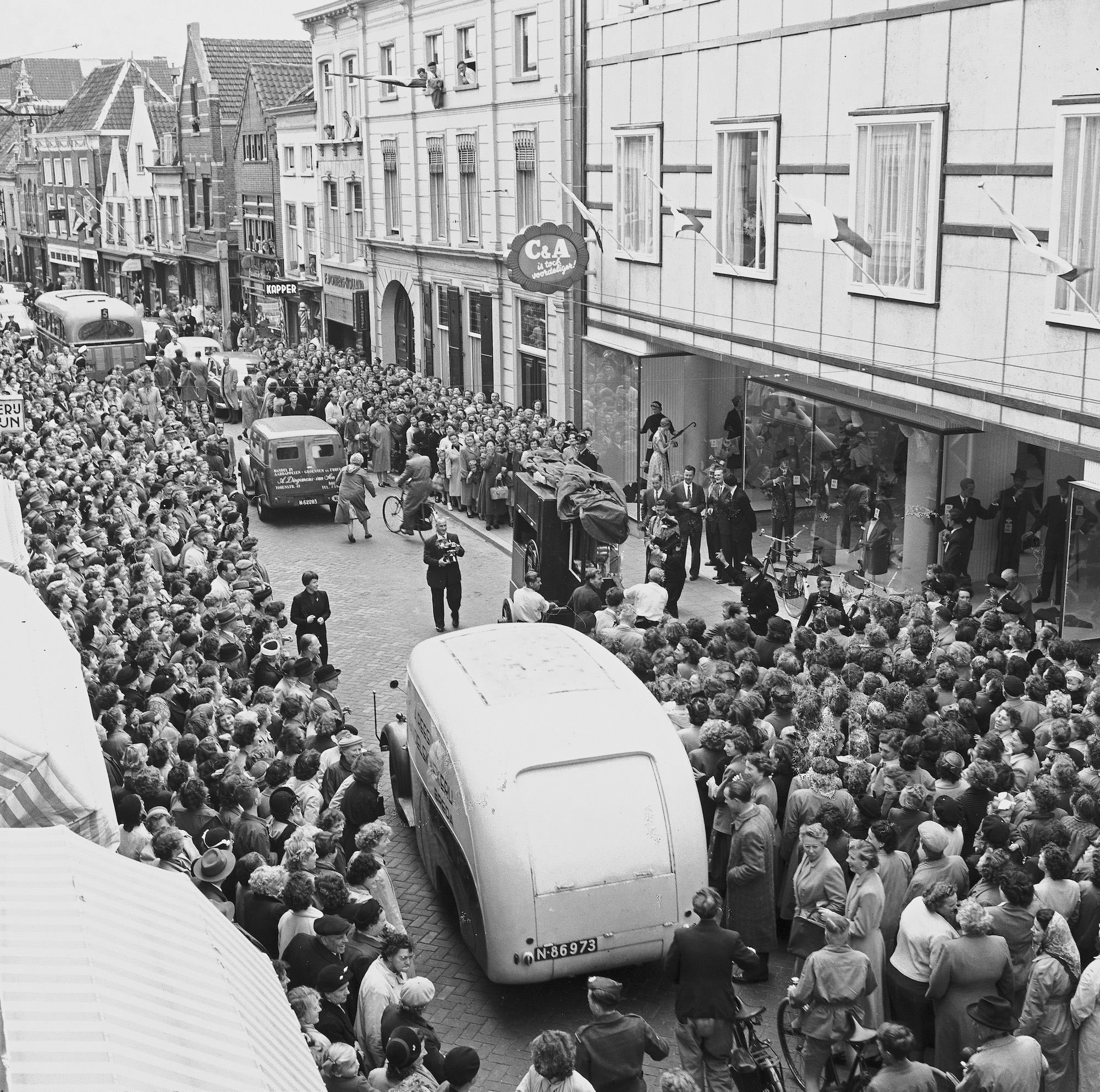
De opening van C & A
Zeventig jaar geleden, op vrijdag 17 september 1954, was het een dolle boel in de Ginnekenstraat, bij de opening van C & A Breda. Volgens een van mijn voorgangers op de Stadsredactie van Dagblad De Stem was er twintig man van de Bredase politie nodig ‘om de bijna eindeloze file dames’ in toom te houden, die met alle geweld het nieuwe gebouw van de firma C. en A. wilden binnendringen. ‘Hand in hand stonden vijf agenten aan de kop van de stoet de rij in bedwang te houden. Het eerste kwartier vocht het verkeer zich met moeite door de Ginnekenstraat… >> Lees verder . . . >>
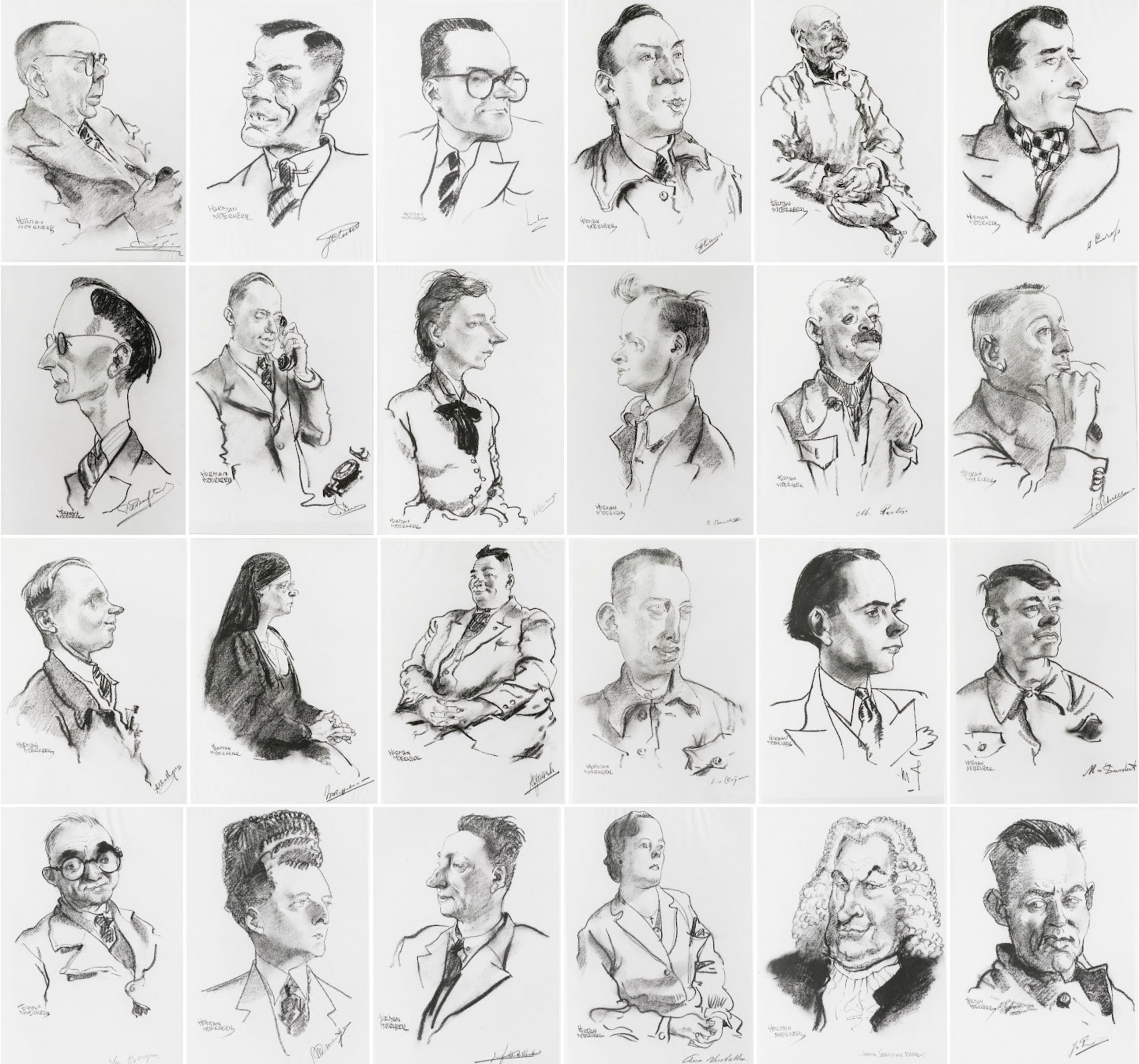
Charles Stulemeijer en Herman Moerkerk
Ook deze serie portretten stond al heel lang op mijn nooit korter wordende Bredase bucket list. Iedere keer als ik een onderwerp af kan strepen zijn er inmiddels weer twee of drie, of meer ideeën aan toegevoegd. Soms reikt iemand me er een aan, vaak zijn het bijvangsten tijdens onderzoek naar andere verhalen, of iets wat ik toevallig tegenkom. Deze prachtige cartooneske portretten zijn door Herman Moerkerk begin 1942 in houtskool opgezet. De meesten zijn gedateerd op 28 februari, anderen op ‘1940-1945’. Bijna geportretteerden waren werknemers van de HKI, de Hollandse Kunstzijde Industrie. Van directeur Charles Stulemeijer en zijn schoonzoon… >> Lees verder . . . >>
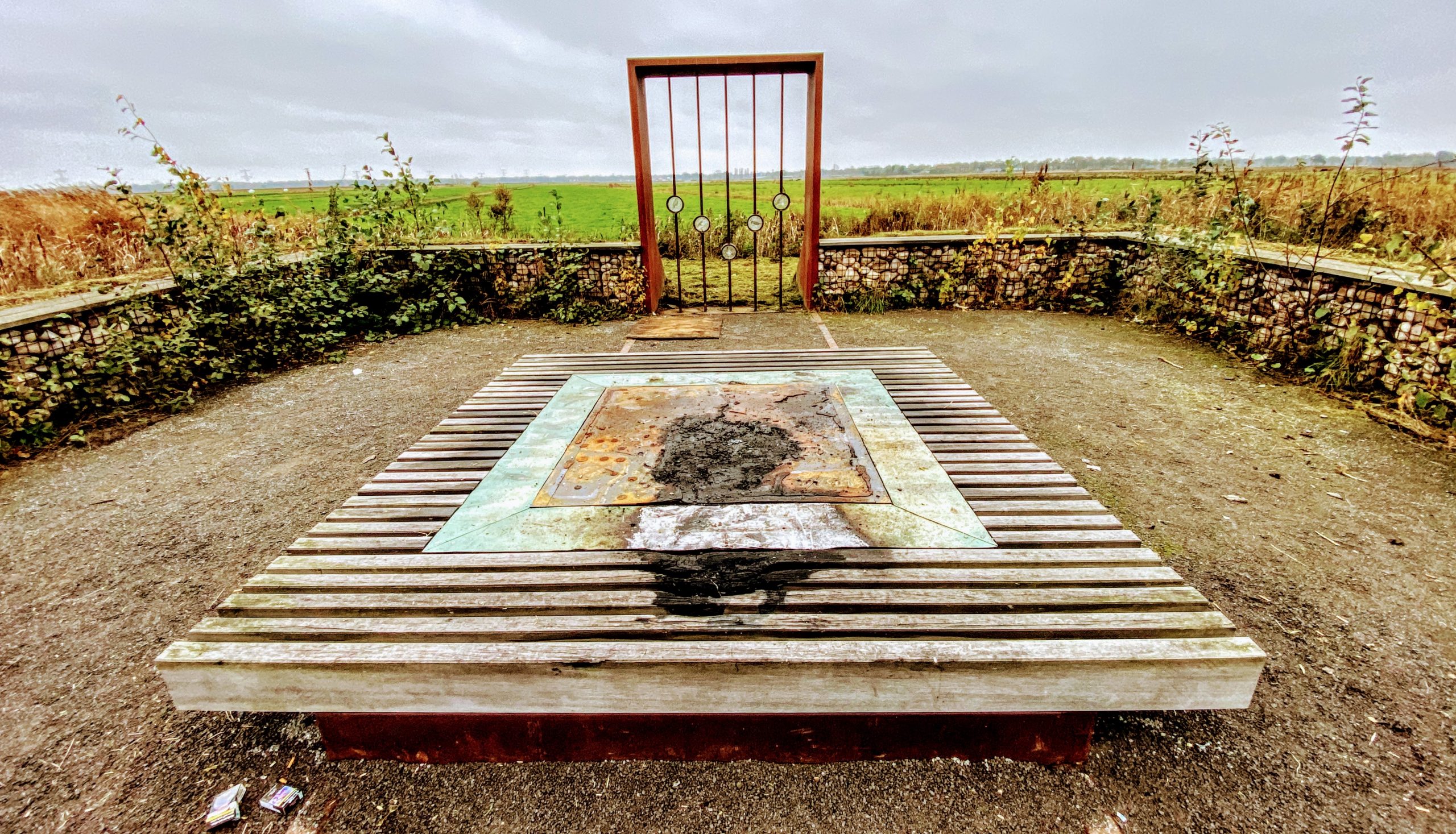
Het gevandaliseerde Redoute
Dit is een van de drie door Merel van der Linden hernieuwde redoutes. Deze ligt het dichtste bij de Kinderboerderij. Ik weet niet hoe de andere twee er op dit moment bij liggen, maar dit, aan de Zwarte Dijk ziet er nu uit alsof er een heruitvoering van een veldslag in de Tachtigjarige Oorlog heeft plaatsgevonden, met rook en vuur. Jammer, hoop dat het snel hersteld kan worden. De volgende tekst is integraal overgenomen van Erfgoed Breda: ‘Ruimtelijk ontwerper Merel van der Linden heeft in de Lage Vuchtpolder drie landschapselementen ontworpen. Deze bouwwerken verwijzen naar de geschiedenis en het gebruik… >> Lees verder . . . >>
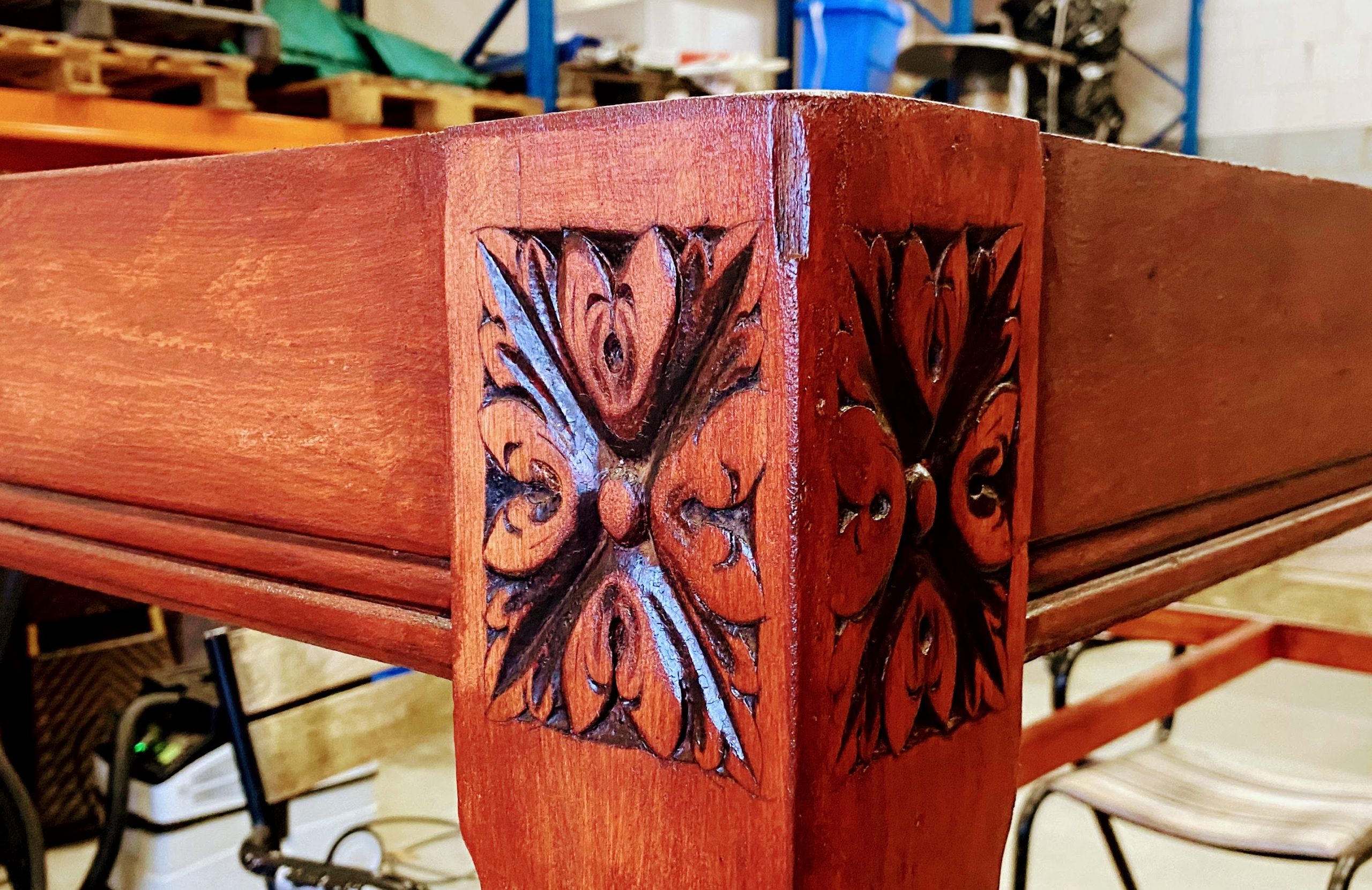
De Stamtafel
Toen ik begin maart de gaande een nuttige winter in drie maanden negentien krakkemikkige barkrukken van De Beyerd gerestaureerd had, stak de grote lees- en stamtafel nogal vermoeid, kaal en versleten af bij de herboren krukken. ‘Die zouden we eigenlijk ook eens aan moeten pakken’ zei ik toen. ‘Graag, als je tijd hebt’, zei Orson. Die tafel gaat in ieder geval drie keer per jaar voor een week het café uit: met Carnaval, Jazz Festival en Belgische Bierweek. Maar ja, met carnaval waren we in Portugal en met de Jazz in Noord Spanje. Op de zaterdag voor de opening van… >> Lees verder . . . >>
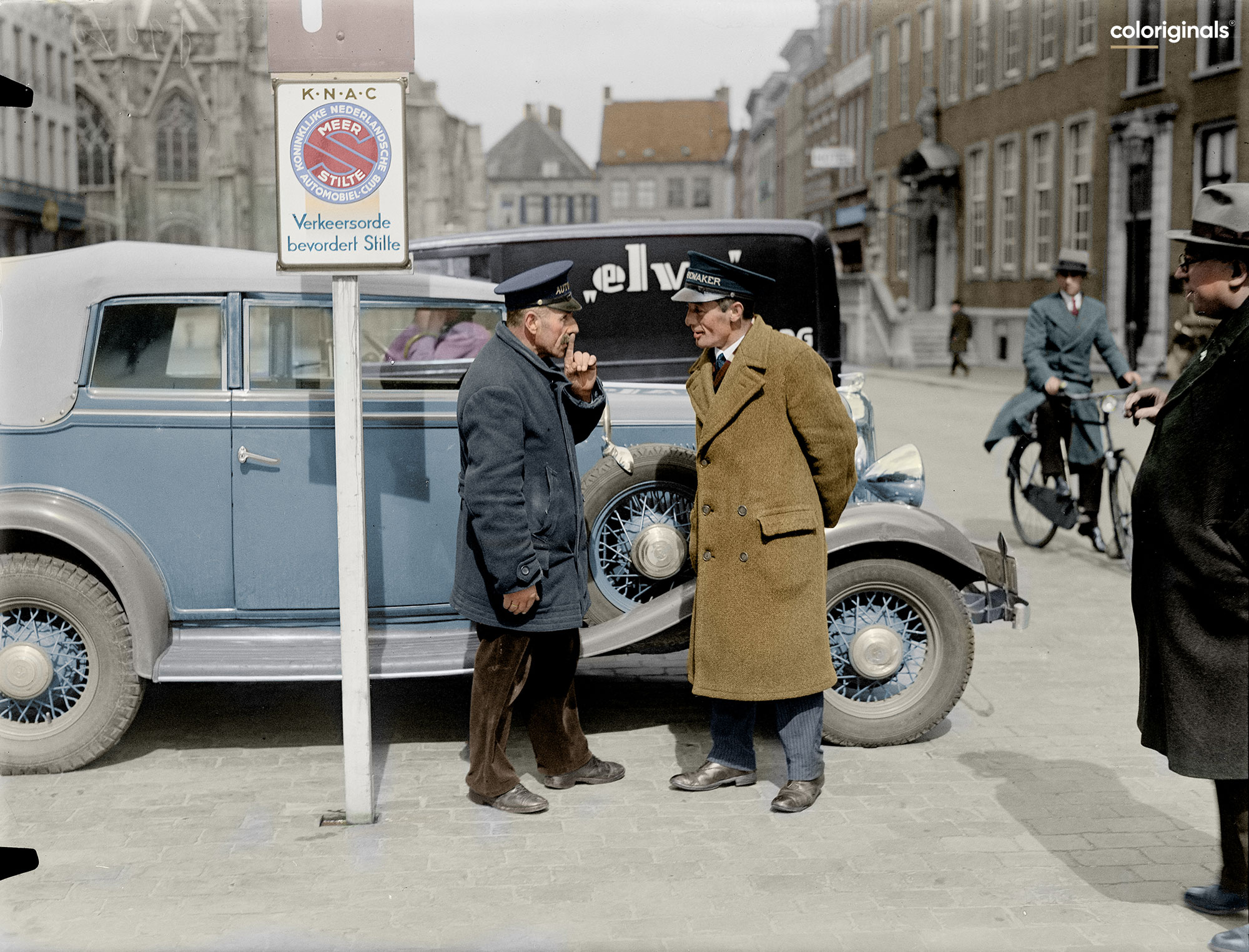
De man met de hoed en de sigaar
Vorige week kwam Gerard Kamp even gezellig op de koffie om zijn nieuwe Coloriginals kalender voor 2025 af te geven. Ik kan me vaag herinneren dat ik hem begin dit jaar, na het verschijnen van die van 2024, met die twaalf foto’s van Jan de Jong, gevraagd heb of hij al wist wat hij met de volgende zou gaan doen. En dat ie dat nog niet wist, want druk met van alles. Wat in zijn geval betekent honderden, duizenden uren met zijn Wacom en zijn computer mega scans van glasnegatieven pixel voor pixel van grijs, wit en zwart tot kleur… >> Lees verder . . . >>
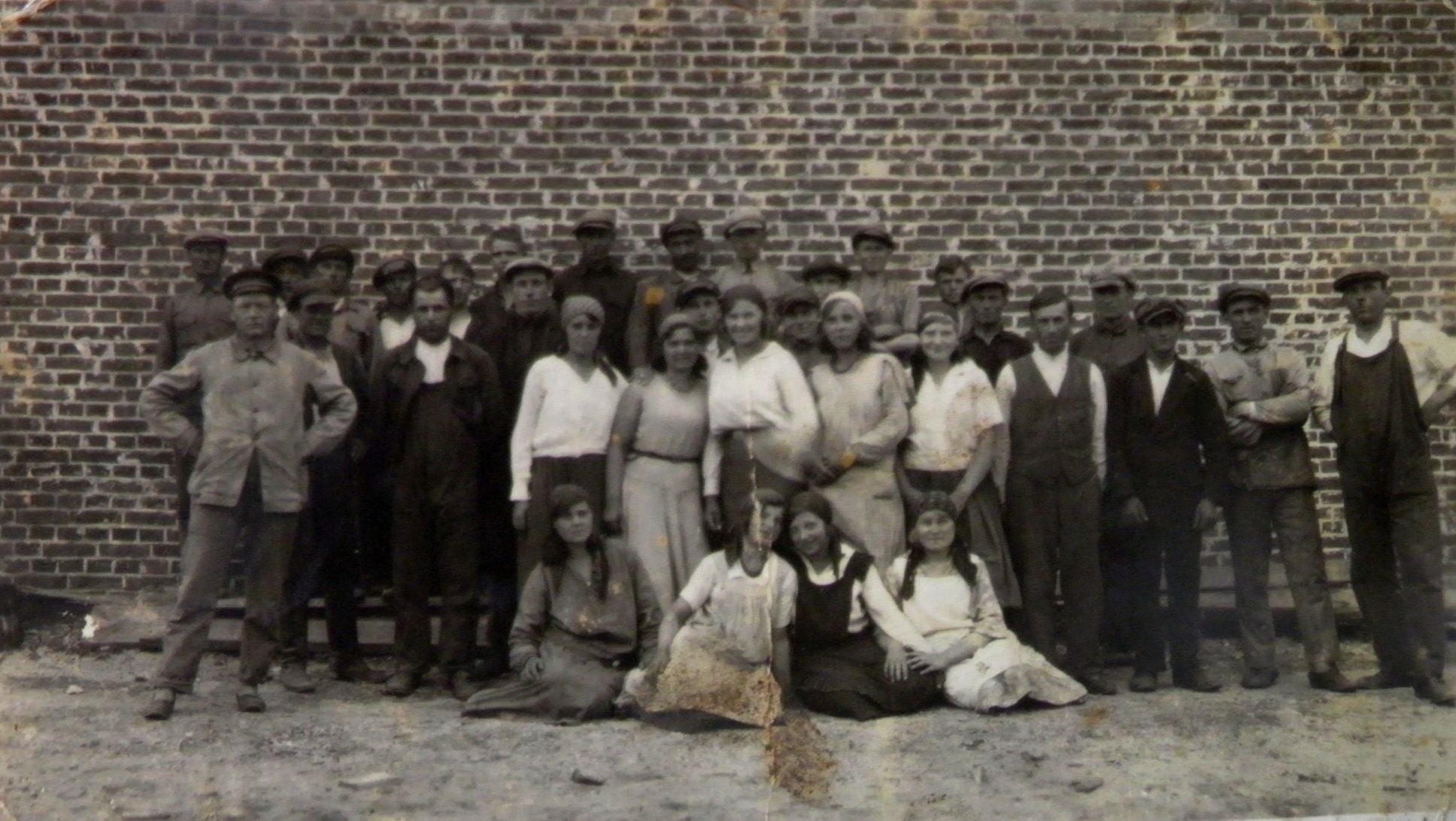
Lachappelle in Polen en Oekraïne
Een interessant en nieuw stukje geschiedenis van Lachappelle ontdekt, met dank aan Romek Pawluk uit Maniewicze in Oekraïne. Die stelde me een dit voorjaar een aantal vragen nadat hij via Google de twee verhalen gevonden had, die ik vier jaar geleden over de Bredase geschiedenis van de parketfabrikant geschreven heb. Zie: | Het perfecte parket van Lachappelle | en: | ‘Een Lachappelle herken je meteen‘ | Over de Antwerpse magnaat August Lachappelle, die fabrieken stichtte in Zwitserland, Frankrijk, Duitsland en België, voordat de ondernemende industrieel in 1904 zijn parketfabriek in het het toenmalige Teteringen liet bouwen, net ten noorden van… >> Lees verder . . . >>